
Precise and Accurate
Convert your PDFs to Word format with ease using our precise and accurate PDF to Word converter, perfect for students, businesses, and writers.
Convert
Create editable Word documents from PDFs while preserving fonts, images and layouts. Try the PDF to Word converter, 100% free.
Drag and drop a file, or browse from your device. Accepted: .pdf. Max size: 50 MB.
Rate this tool
0.00 / 5 – 0 votes
Convert your PDFs to Word format with ease using our precise and accurate PDF to Word converter, perfect for students, businesses, and writers.
Easily convert PDF to Word while preserving all fonts using our converter - effortlessly maintain the original style of your documents.
With our SSL-secured industry-leading PDF to Microsoft Word converter, you can trust that your documents are safely converted.
Effortlessly convert your PDFs to Word format with our online converter, providing quick and seamless conversion at your fingertips.
Efficiently transform your documents with our free PDF to Word converter, delivering exceptional quality, speed, and convenience.
Experience the convenience of documents on your mobile device with our user-friendly mobile PDF to Word application.
 ▶
Converting PDFs to Word while preserving fonts, images, and layouts can streamline document editing and collaboration, saving time and effort needed for manual recreation. A PDF to Word converter that maintains formatting can enhance efficiency and accuracy for users working on shared documents.

Integrate our powerful API seamlessly into your application for custom functionality. Our pay-per-use policy ensures that you only pay for what you consume, with the added advantage of substantial discounts for high-volume clients.
By converting your PDF documents to Word format, you gain numerous benefits such as the ability to easily modify text, images, and formatting, repurpose content, and save valuable time by avoiding manual re-typing of documents. Furthermore, converting your PDFs to Word format also enhances accessibility by enabling assistive technologies like text-to-speech.

Experience the convenience of hassle-free PDF conversions with our PDF to MS Word tool. It boasts a user-friendly interface, fast conversion times, and preserves the original formatting of your documents. With no downloads required, it's the perfect solution for those looking to streamline their workflow and save time on manual re-typing.
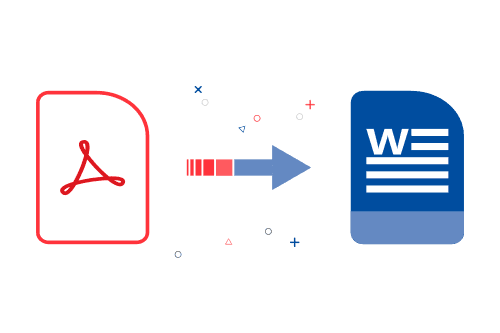
PDFs are a common file format used for sharing documents, but they can be challenging to edit or repurpose. The solution is to convert them to Word format. By converting PDFs to Word, you can easily edit the content using Word's robust editing tools.
For instance, imagine you receive a PDF report from a colleague that requires some minor changes. Converting the PDF to Word format enables you to make the necessary edits quickly, without requiring specialized software or technical expertise. Another example is when you need to update your resume with new information or add new skills, but you don't have access to the original Word document. By converting the PDF to Word, you can easily make any necessary changes.
One of the significant benefits of converting PDFs to Word format is compatibility with Microsoft Word, the most widely used word processing software worldwide. This means you can collaborate with colleagues and share documents across different platforms without worrying about compatibility issues.
Yes, you can convert a scanned PDF to Word format using optical character recognition (OCR) software that can recognize text in images.
Converting PDF to Word format may slightly affect the document's quality, especially if the original PDF contains complex formatting such as tables or graphics. However, it is possible to preserve the quality by selecting the right PDF to Word converter.
Yes, there may be privacy concerns with online PDF to Word converters. It's important to choose a reputable service that protects your personal information and doesn't store your files after conversion.
Yes, you can convert a password-protected PDF to Word format, but you need to have the password to unlock the file before conversion.
Yes, some PDF to Word converters can preserve hyperlinks in the converted document.